AdeptWizPDF – Complete Feature Suite
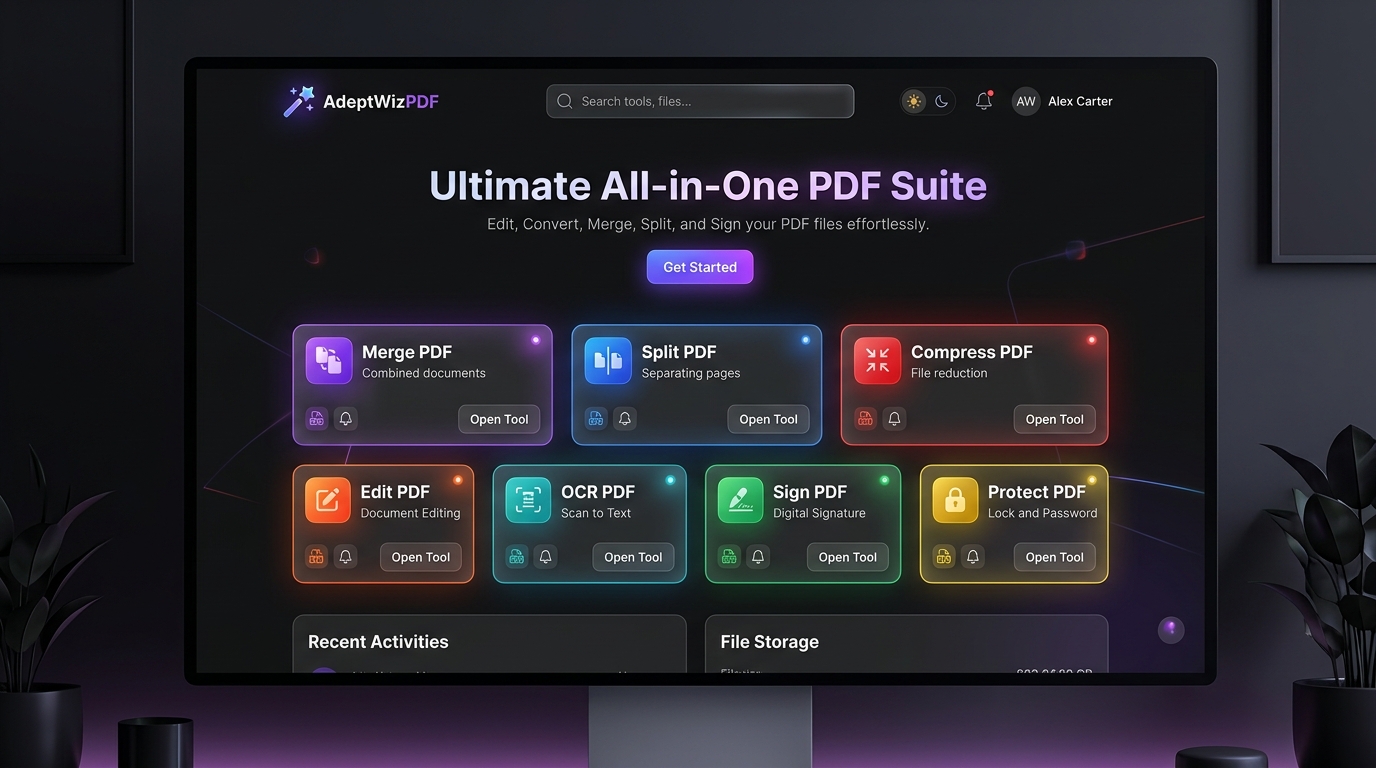
AdeptWizPDF is a privacy‑first, zero‑server, client‑side PDF toolkit designed for speed, security, and modern document workflows. Every action happens directly inside your browser, ensuring total data protection and instant performance.
Key Architecture & Philosophy
100% Client‑Side Privacy
AdeptWizPDF processes all documents locally inside your browser. Your files never leave your device, making the platform suitable for sensitive legal, financial, and medical documents. It also works offline once loaded and aligns with GDPR and HIPAA privacy expectations.
Blazing Fast Performance
The platform uses WebAssembly and modern JavaScript PDF engines to deliver instant document processing without upload delays or server bottlenecks.
Modern, Responsive Interface
AdeptWizPDF features a clean glass‑style interface with support for both dark and light modes. Users can pin favorite tools and access recent file history for quick retrieval.
Complete Toolset (21 Specialized Tools)
AdeptWizPDF includes 21 dedicated tools grouped into six major categories.
1. Organize & Page Management
Merge PDF
Combine multiple PDF files into a single document. Features include drag‑and‑drop reordering, batch uploads, and preservation of fonts and graphics.
Split PDF
Extract pages or divide a PDF into multiple files. Supports splitting all pages into a ZIP archive or selecting custom page ranges.
Organize PDF
A visual page manager with thumbnail previews. Allows reordering, rotating, and deleting pages.
Rotate PDF
Rotate individual pages or entire documents in 90°, 180°, or 270° increments.
Crop PDF
Remove margins or whitespace using an interactive crop selector. Apply cropping to selected pages or the entire document.
2. Optimize & AI Tools
Compress PDF
Reduce file size with adjustable compression levels. Options include extreme, recommended, and light compression, with visible size‑reduction statistics.
OCR PDF – AI Text Recognition
Extract text from scanned PDFs using Tesseract.js. Supports over 100 languages and can output searchable PDFs or plain text.
3. Convert To PDF
JPG to PDF
Convert images (JPG, PNG, WebP, GIF) into PDF pages. Includes orientation, margin, and fit‑to‑page options.
Word to PDF
Convert DOCX and DOC files into PDF using client‑side parsing. Preserves headings, tables, and formatting.
Excel to PDF
Convert spreadsheets into clean PDF tables using XLSX parsing.
Text / Markdown to PDF
Convert plain text or Markdown into formatted PDF documents. Supports font selection, line spacing, and custom sizes.
HTML to PDF
Render HTML and CSS layouts directly into PDF.
Scan to PDF
Capture documents using a webcam or device camera. Supports multi‑page scanning and color filters such as grayscale and high contrast.
4. Convert From PDF
PDF to JPG
Export PDF pages as high‑resolution JPG or PNG images. Supports multiple DPI settings and batch export.
PDF to Text
Extract raw text content from PDF files. Allows one‑click copying or saving as a text file.
5. Edit, Sign & Annotate
Edit PDF
A full annotation suite including text boxes, shapes, highlights, freehand drawing, and redaction tools.
Sign PDF
Add electronic signatures by drawing, typing, or uploading a signature image. Supports resizing, placement, and multi‑page application.
Watermark PDF
Add text or image watermarks with adjustable opacity, rotation, and placement options.
Page Numbers
Insert page numbers with customizable templates, positions, margins, and starting index.
6. Security & Encryption
Protect PDF
Encrypt PDFs with 128‑bit or 256‑bit AES password protection. Supports user and owner passwords to restrict viewing, copying, or printing.
Unlock PDF
Remove password restrictions from protected PDFs using authorized credentials.
Technical Architecture & Tech Stack
AdeptWizPDF is built using modern, high‑performance web technologies:
- React 19 and TypeScript for the interface
- Vite 8 for fast development and bundling
- Tailwind CSS v4 for styling
- pdf-lib for PDF creation and editing
- pdfjs-dist for rendering and text extraction
- jsPDF and html2canvas for PDF generation
- tesseract.js for OCR
- mammoth.js and XLSX for Word and Excel parsing
- AES encryption libraries for secure protection
- JSZip and FileSaver for ZIP export and downloads
Leave a Reply
You must be logged in to post a comment.